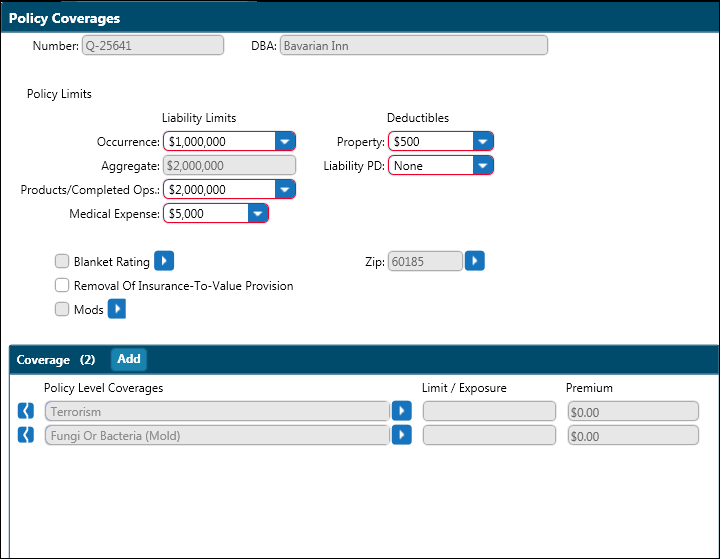
In the Businessowners menu, click Policy Coverages.
Liability limits and deductibles reflect system defaults. Change as required.
If Blanket applies, click the Blanket Rating arrow and enter data in the Blanket Coverage Selection dialog box. Click OK.
Select the Removal of Insurance-To-Value Provision box if applicable.
Click the Zip arrow to enter the address if it is different from the Named Insured’s address.
If Policy Level Modifications apply, click the arrow next to Mods and enter the applicable factors.
In the Coverage section, select Policy Level coverages from the list.
Proceed to BOP Location Coverages screen.