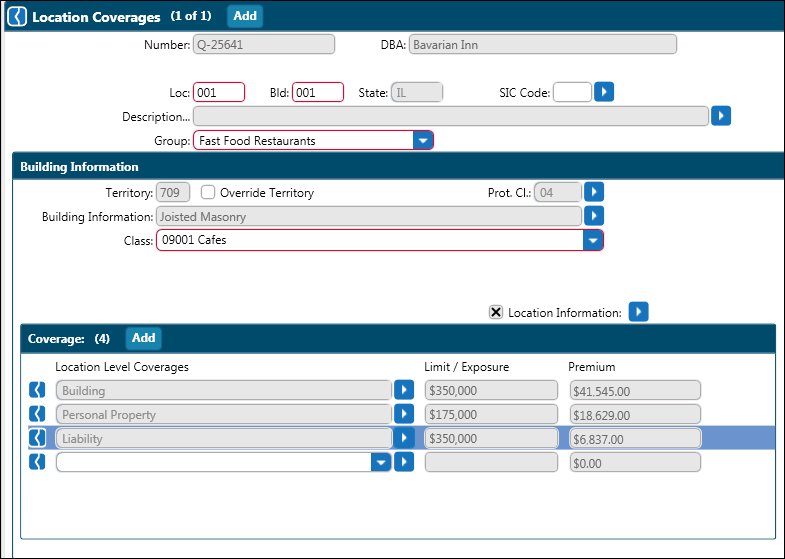
In the Businessowners menu, click Location Coverages.
Location information entered on the Locations screen is automatically transferred to the Location Coverages screen. If no information was entered, enter the state complete the Description fields.
Select the Group arrow to enter insured’s main building occupancy.
The territory is automatically defaulted based on the location information. Should this require change, check the Override Territory box and enter the territory.
Enter the Protection class and Building information.
Enter Class code and Location Information.
Select Location level coverages from the list provided. Upon selecting the coverage, a dialog box opens. Complete additional data entry as required.
If additional locations apply, click Add and repeat the above steps.
Complete any optional screens as needed.